
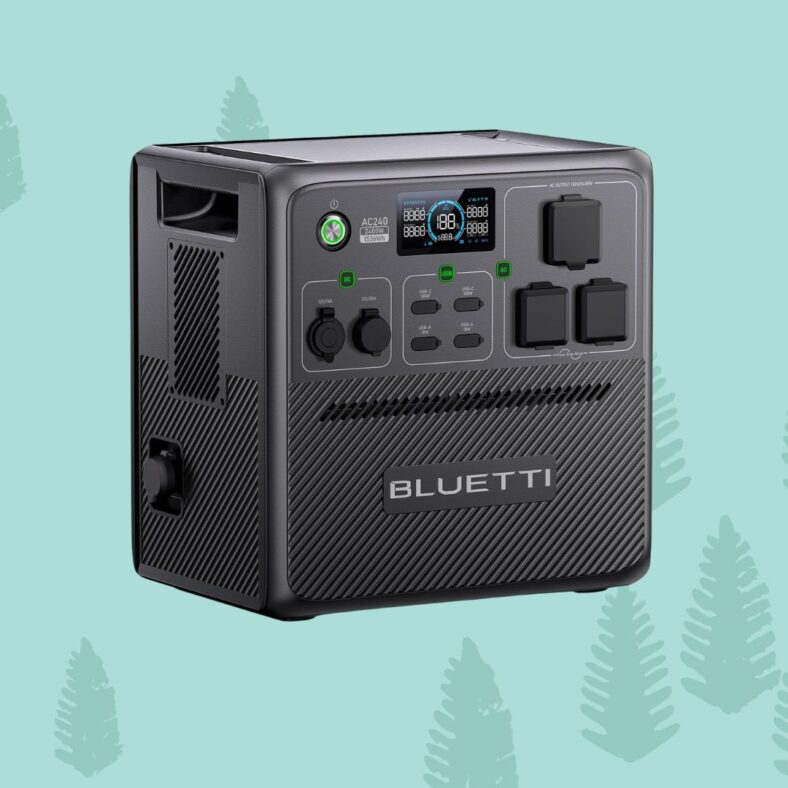
Bluetti power stations are popular for backup power and off-grid adventures. But like any electronic device, they can run into problems.
When something goes wrong, your Bluetti may show an error code on its screen. These codes help you figure out what’s wrong and how to fix it.
Most Bluetti error codes point to common issues like overloads, temperature warnings, or battery problems.
This article covers:
- What Bluetti error codes mean
- Step-by-step fixes for common error codes
- Tips to prevent future problems
What Are Bluetti Error Codes?
Error codes are short numbers or letters that show up on your Bluetti’s display when something isn’t working right. Each code points to a specific problem, like a battery issue or an overload. Knowing what these codes mean can save you time and stress.
Why Do Error Codes Appear?
Bluetti error codes show up for several reasons:
- Overloading the unit (plugging in too many devices)
- High or low battery voltage
- Temperature issues (too hot or too cold)
- Communication errors between parts inside the unit
- Short circuits or wiring problems
Table: Common Bluetti Error Codes and Their Meanings
| Error Code | Meaning | Typical Cause | Quick Fix |
|---|---|---|---|
| E01 | Output Overload | Too many devices plugged in | Unplug some devices, reset the unit |
| E02 | Inverter Temperature High | Overheating | Let unit cool, check for airflow |
| E03 | H-Bus Voltage High | Internal voltage too high | Power cycle, check for surges |
| E04 | System Voltage High | Battery or system overvoltage | Disconnect, let rest, restart |
| E05 | System Voltage Low | Battery or system undervoltage | Charge unit, check connections |
| E06 | Battery Voltage High | Battery overcharged | Stop charging, let unit rest1 |
| E09 | Battery Undervoltage | Deep battery drain | Recharge fully, avoid deep discharge |
| E013 | Inverter Overload | Surge or spike from device | Unplug, reset AC/DC, restart3 |
| E020 | Inverter Low Voltage | Not enough battery voltage | Recharge, check battery health4 |
| E034 | BMS Communication Error | Internal battery comms issue | Restart, try firmware update5 |
| E042 | BMS Over Voltage | Battery management issue | Full discharge/charge, recalibrate6 |
| E043 | BMS Low Voltage | Battery management issue | Full discharge/charge, recalibrate6 |
| E065 | DC Output Short Circuit | Short in DC output | Remove load, reset, check wiring7 |
| 011/012 | H Bus Overvoltage | Hardware bus voltage too high | Check connections, contact support8 |
| 004/098 | Battery/BMS Over Voltage | Battery or BMS overcharged | Let unit rest, monitor charge cycles9 |
| 030 | PV Charge Error | Solar input issue | Check solar panels, contact support10 |
How to Fix the Most Common Bluetti Error Codes
E01: Output Overload
What it means:
You’ve plugged in more devices than your Bluetti can handle.
How to fix:
- Unplug some devices.
- Press the power button to reset.
- Wait a few seconds before turning the unit back on.
Tip:
Always check your Bluetti’s max output rating before plugging in high-power devices.
E02: Inverter Temperature High
What it means:
The inverter inside is too hot.
How to fix:
- Turn off the unit and unplug everything.
- Move it to a cooler spot.
- Wait 10-30 minutes for it to cool down.
- Make sure vents aren’t blocked.
Tip:
Keep your Bluetti out of direct sunlight and away from heat sources.
E03/E04/E05/E06: Voltage Errors
What they mean:
These codes point to voltage problems—either too high or too low.
How to fix:
- For high voltage (E03/E04/E06):
- Stop charging the unit.
- Unplug everything.
- Let it rest for 30 minutes.
- Restart and monitor.
- For low voltage (E05):
- Charge the unit fully.
- Check all cable connections.
- Avoid draining the battery too low1.
Tip:
Use only Bluetti-approved chargers and cables.
E09: Battery Undervoltage
What it means:
The battery has been drained too much.
How to fix:
- Plug the unit into a wall outlet and charge fully.
- Avoid using the unit until it’s at 100%2.
Tip:
Don’t let your Bluetti sit at 0% for long periods.
E013: Inverter Overload
What it means:
A device you plugged in tried to pull too much power at once.
How to fix:
- Unplug all devices.
- Turn off both AC and DC outputs (hold buttons until lights go off).
- Wait 30 seconds, then turn the unit back on3.
Tip:
High-surge devices (like power tools) can cause this error.
E020: Inverter Low Voltage
What it means:
The battery voltage is too low for the inverter to work.
How to fix:
- Recharge the unit fully.
- If the error repeats, check the battery’s health4.
E034: BMS Communication Error
What it means:
The battery management system (BMS) isn’t talking to the rest of the unit.
How to fix:
- Turn off the unit.
- Try restarting after a few minutes.
- Use the Bluetti app to check for firmware updates.
- If the error won’t clear, contact Bluetti support5.
E042/E043: BMS Over/Low Voltage
What they mean:
The battery management system detected a voltage problem.
How to fix:
- Discharge the unit completely (use it until it shuts off).
- Recharge to 100% without interruptions.
- Repeat this full cycle once or twice to recalibrate6.
Tip:
If the error sticks, the battery may need service.
E065: DC Output Short Circuit
What it means:
There’s a short circuit in the DC output.
How to fix:
- Unplug everything from the DC ports.
- Turn the unit off and wait 10 seconds.
- Turn it back on and test with a single device.
- If the error returns, check your cables and devices for shorts7.
011/012: H Bus Overvoltage
What it means:
Internal bus voltage is too high.
How to fix:
- Power off the unit.
- Check all connections and input sources.
- If the issue repeats, contact Bluetti support8.
004/098: Battery/BMS Over Voltage
What it means:
The battery or BMS is overcharged.
How to fix:
- Stop charging immediately.
- Let the unit rest for 30 minutes.
- Monitor the next charge cycle.
- If the error keeps coming back, contact support9.
030: PV Charge Error
What it means:
Problem with solar panel charging.
How to fix:
- Check all solar panel connections.
- Make sure you’re using compatible panels.
- If the error remains, contact Bluetti support10.
How to Clear Error Codes on Bluetti
Sometimes, after fixing the problem, the error code stays on the screen. Here’s how to clear it:
- On the touchscreen, tap “Alarm” or “Fault.”
- Select “Clear” and confirm with “Yes.”
- If your model uses the Bluetti app, use the app to clear error history6.
If the error won’t clear, try a full shutdown and restart. If that doesn’t work, you may need a firmware update or service.
When to Contact Bluetti Support
If you’ve tried all the steps above and the error code keeps coming back, it’s time to reach out for help. Contact Bluetti’s customer service by email or through their website. Have your model number, serial number, and a description of the problem ready.
Preventing Bluetti Error Codes
You can avoid most error codes with a few simple habits:
- Don’t overload your Bluetti—know its limits.
- Keep it in a cool, dry place.
- Use only approved chargers and cables.
- Charge it regularly; don’t let it sit empty.
- Update the firmware when new versions are available.
- Check connections before plugging in solar panels or other devices.
Frequently Asked Questions
What should I do if my Bluetti won’t turn on at all?
- Check the battery level.
- Try charging from a different outlet.
- If there’s no response, contact support.
Can I reset my Bluetti to factory settings?
Some models allow a full reset through the touchscreen or app. Check your manual for details.
Why does my Bluetti keep shutting off?
Overloads, overheating, or battery problems are common causes. Check the error code and follow the steps above.
How do I update Bluetti firmware?
Use the Bluetti app or follow instructions on the Bluetti website. Updates can fix bugs and improve performance.
Real-World Examples
- E013 Inverter Overload:
A user tried to power a high-wattage device and got an E013 error. After unplugging everything and restarting, the error cleared. The user learned to avoid plugging in devices that draw more power than the Bluetti can handle3. - E042/E043 BMS Errors:
Some users reported their Bluetti units would only stay on for 15 seconds before shutting down with these codes. After a full discharge and recharge, the errors went away for some, but others needed to contact support for battery service6. - E034 BMS Communication Error:
This error often requires a firmware update or service. Restarting sometimes helps, but if not, support is needed5.
Troubleshooting Tips
- Always start by unplugging all devices and turning the unit off and on.
- If an error code keeps coming back, try a different charging method (wall, car, solar).
- Keep your Bluetti’s firmware up to date.
- Use the Bluetti app for extra troubleshooting features.
Summary Table: Quick Fixes for Bluetti Error Codes
| Error Code | Quick Fix Steps |
|---|---|
| E01 | Unplug devices, reset unit |
| E02 | Cool down, check airflow |
| E03/E04 | Power cycle, check for surges |
| E05 | Recharge, check connections |
| E06 | Stop charging, let rest |
| E09 | Recharge fully, avoid deep discharge |
| E013 | Unplug, reset AC/DC, restart |
| E020 | Recharge, check battery |
| E034 | Restart, update firmware, contact support if needed |
| E042/43 | Full discharge/recharge, recalibrate |
| E065 | Remove load, reset, check wiring |
| 011/012 | Power off, check connections, contact support |
| 004/098 | Stop charging, let rest, monitor |
| 030 | Check solar panels, contact support |
Final Thoughts
Most Bluetti error codes can be fixed at home in a few steps. If you ever feel stuck, Bluetti’s support team is ready to help. Keep your unit in good shape, know its limits, and you’ll get years of reliable power.
Remember:
Always check your Bluetti’s user manual for model-specific codes and instructions. Not all codes mean disaster—sometimes, it’s just a reminder to give your unit a break or check your connections.
If you find this guide helpful, bookmark it for future reference and share it with other Bluetti users!
Related Articles:
- Bluetti Charger 1 Review: A Game Changer for Campers and Road Trippers
- Common Bluetti Error Codes and How to Fix Them
- Bluetti AC70 vs EcoFlow River 2 Pro – Which is Better for Power Outages?
- Reddit Opinions on Bluetti vs EcoFlow – Which Power Station Brand Wins?
- Bluetti vs EcoFlow Solar Charging: Which is Better?
Citations:
- https://www.adselectrics.com/bluetti-ac300-troubleshooting/
- https://www.youtube.com/watch?v=-311MdajkZg
- https://www.reddit.com/r/bluetti/comments/1jy71s2/my_bluetti_ps72_stopped_charging_and_shows_an/
- https://www.reddit.com/r/bluetti/comments/wme4uw/ac200_max_trouble_shooting/
- https://www.youtube.com/watch?v=tEQbkBo3epc
- https://community.bluettipower.com/t/fault-codes-42-43-how-to-resolve/32207
- https://www.reddit.com/r/bluetti/comments/1j5u3yx/ac70_fault_e065/
- http://community.bluettipower.com/t/error-codes-011-and-012/34208
- http://community.bluettipower.com/t/ac500-shut-down-ac-inverter-with-codes-004-battery-voltage-high-hardware-and-098-bms-over-voltage/7740
- http://community.bluettipower.com/t/fault-030-on-ac200p-no-charge-from-pv/4580
- http://community.bluettipower.com/t/fault-codes-42-43-how-to-resolve/32207
- http://community.bluettipower.com/t/fault-code-explanations-ac200p/354
- https://www.reddit.com/r/bluetti/comments/1azg98e/ac300_questions/
- https://www.reddit.com/r/bluetti/comments/17xlcin/dead_bluetti_eb3a_hints_and_tips_to_troubleshoot/
- https://www.bluettipower.com/blogs/news/portable-solar-generator-common-solar-inverter-faults-and-how-to-fix-them
- https://www.youtube.com/watch?v=311989zIgR8
- https://bluetti.com/download/
- https://community.bluettipower.com/t/fault-code-explanations-ac200p/354
- https://diysolarforum.com/threads/bluetti-ac50s-errors.52288/
- https://www.reddit.com/r/bluetti/comments/1lqcf89/system_not_working/